
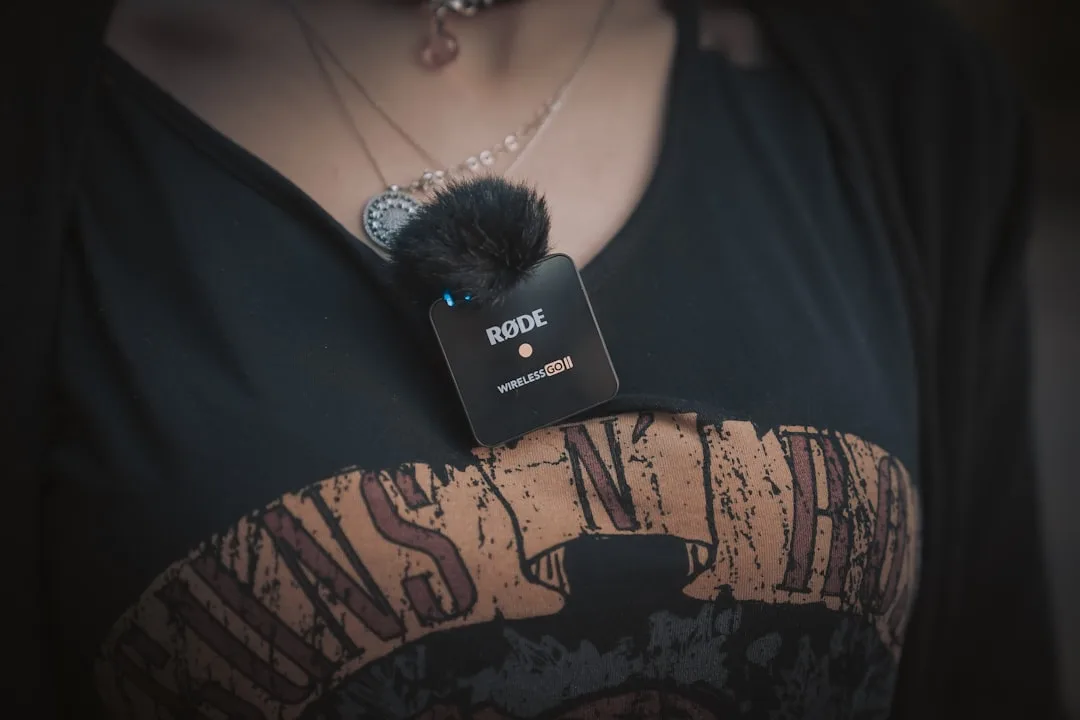
The Expensive Mic That Fixed Nothing
He read a lot before buying. Compared models, watched reviews, and picked the most expensive one his budget allowed because its specs were the best.
The mic arrived, so he clipped it on and sat down to record.
When he listened back, the room's echo was audible in every sentence, there was a faint background sound he hadn't noticed while talking, and in the outdoor shot he filmed afterwards the wind had erased half the words.
So he assumed the mic was faulty.
The mic wasn't faulty. It was recording, accurately, everything that reached it, and what reached it was the sound of an empty room and the sound of wind.
This article is about the things that come before the mic, and then about choosing the mic itself.
Why Audio Comes First
Try watching a video with a great image and echoing, noisy sound, then one with a mediocre image and clean sound. You'll finish the second and leave the first within seconds.
The reason is that the brain processes bad audio as extra labour: it's decoding speech instead of listening to it. Which is why the correct spending order for a creator starts with audio, then lighting, with the camera last.
Before You Buy: Three Free Things
These three improve your audio more than the gap between a mid-range mic and an expensive one, and they're what our friend was missing.
Distance: every centimetre closer to the mouth reduces the room relative to your voice. A mic twenty centimetres away is far better than one a metre away.
Wind: any light breeze destroys an outdoor recording completely, and it can't be fixed in the edit. The foam or small furry cover that comes with the mic isn't an accessory, it's a necessity.
The room: bare hard surfaces produce echo. Filming in a room with rugs, curtains and furniture beats a large empty one, even if the second looks nicer.
Tier One: The Budget Start
Suited to someone filming on a phone who wants a first leap in quality without complication.
In this tier the Rode Wireless Micro stands out, a simple wireless system designed specifically for phones: open the box, clip on the transmitter, plug the receiver into the phone, no settings. It sits in the category of devices that don't record internally.
There are cheaper options from brands like Boya, which do the basic job with lower quality and a less stable connection.
The shared flaw in this tier is the absence of onboard recording. If the wireless link drops for a moment, you've lost the audio in that moment permanently.
Tier Two: Mid-Range With Onboard Recording
Here's where the feature genuinely worth paying for begins: onboard recording, meaning the transmitter saves a copy to its own memory alongside the wireless transmission. If there's interference or a dropout, you go back to the intact copy.
Common options in this tier include the DJI Mic Mini (very small, connecting directly to a phone over USB-C or Lightning), and the Hollyland Lark M2, which 2026 reviews note for the lightness of its capsules and its built-in noise reduction.
Tier Three: Professional
For people producing regularly or filming two-person interviews. It includes options like the Rode Wireless GO III, which 2026 reviews describe as combining onboard recording and 32-bit float with wide compatibility across phones, cameras and computers, and the DJI Mic 3, released in 2026 in the professional tier with advanced recording features.
A technical note on 32-bit float: it's a recording method that preserves detail in very loud and very quiet sounds, so it rescues you when a speaker's voice suddenly jumps. Useful for unpredictable interviews, and unnecessary if you're filming yourself at a steady level.
And a difference worth noting: according to retailer comparisons, the DJI Mic 3 doesn't offer a lavalier input, while Rode systems do. That matters if you need to hide the mic under clothing.
The Selection Table
| Your situation | The right tier | The deciding feature |
|---|---|---|
| Starting now, filming on a phone | Budget | Simplicity and price |
| Publishing regularly, can't afford to lose a take | Mid-range | Onboard recording |
| Filming two-person interviews | Mid-range or professional | Two transmitters and a lavalier input |
| Filming in noisy or changing places | Professional | 32-bit float and noise reduction |
Before Buying: Check Three Things
The port: make sure the receiver matches your phone's port (USB-C or Lightning), and that the adapter is included or available.
Compatibility with your camera app: some apps don't pick up audio from an external source automatically. Test the day before the shoot, not on the day.
Where you buy: wireless mics are among the most counterfeited products. Buy from an authorised distributor, and check the unit the moment it arrives.
A Note on Prices and Models
Prices and models change constantly: new versions launch, old ones get discounted, and price and availability vary enormously between markets. Check the current price when you buy and don't rely on a number written in an article.
What doesn't change is the selection criteria: onboard recording, range, battery life, a lavalier input, and ease of connecting to a phone. Judge any new model that appears after this article by those.
The Test That Saves You Regret
After buying any mic, record two minutes with it in three situations before using it on real work: in a quiet room, on a street, and somewhere windy. Listen to all three on headphones, not on the phone speaker.
That test tells you your device's limits, so you plan around them instead of discovering them on a shoot day you can't repeat. It's the test that would have told our friend at the top of this article that his mic was fine, and the problem was his room.
Sources: product specification comparisons at B&H Photo, and wireless microphone reviews published by PetaPixel and TechRadar during 2026.