Stop hopping between five apps. One system, from idea to publish.
The idea that hits you on the road, the script you write at night, the shooting day, the publish date. They used to live in five apps. Bardiyah turns them into one journey, built for Arab creators.
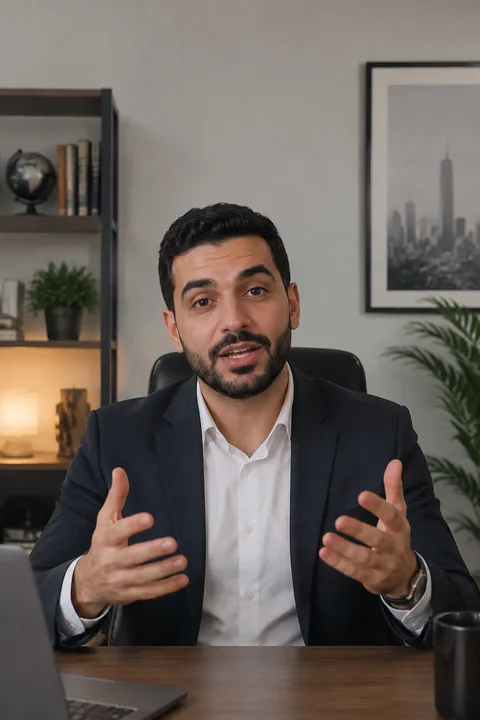
In Turkey you pay for two loaves... and walk out with one! The second goes to someone you would never expect.
Turkey has an old, humane custom called "suspended bread"...
The idea is very simple... you walk into the bakery, pay for two loaves, and take only one.
The baker puts the extra loaf in a bag and hangs it on a hook outside the shop. Anyone in need... anyone who can’t afford breakfast... walks by and takes what they need.
Without asking anyone. Without feeling ashamed. That’s the most beautiful part... the giver never knows who took it, and the one who took it never knows who paid.
And in Ramadan... the custom goes wild! A single hook fills up and empties several times in one day! People hanging bread and people taking it, all day long.
Bardiyah connects to the platforms and tools you use every day

 Everything you need, in one place
Every stage of a video has its place in Bardiyah.
From the moment an idea crosses your mind to the last number that comes back from the platforms. Each tool works on its own if you want it to, and all of them work together on the same video.
Say the idea out loud before it slips away
You talk, Bardiyah writes it down and files it in its project with its tags, ready for when its time comes.
Write the script card by card, with the assistant beside you
The hook, the content and the call to action, with a viral score out of 10 that moves with every edit you make.
Plan every post, and Bardiyah publishes it on time
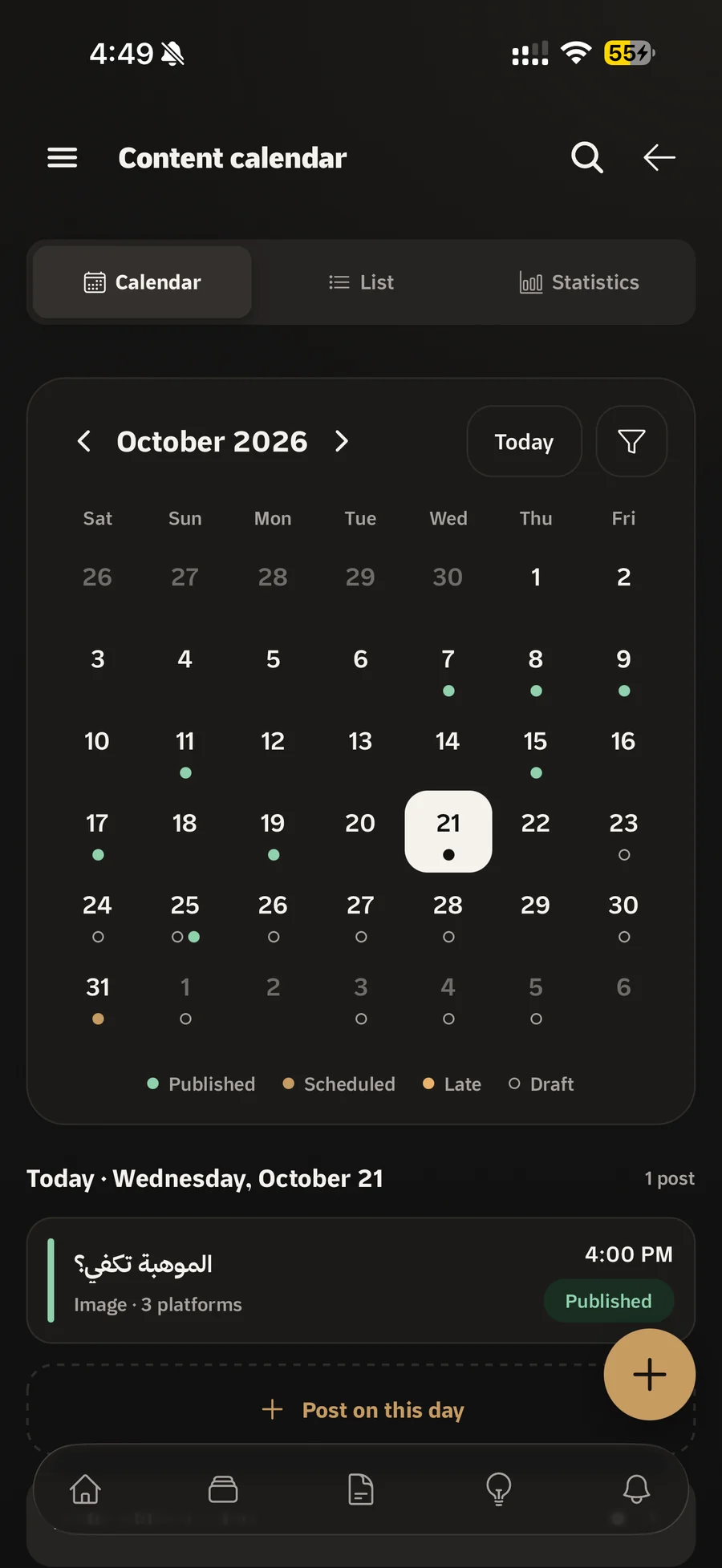
A main video, a short clip, an image, a carousel, a story or a text post. Pick the platforms and the time, and Bardiyah publishes on Facebook, Instagram and Threads by itself, and reminds you when it is time for YouTube and TikTok.
Read your lines with your eyes on the lens
Portrait or landscape, on the same phone you film with.
Shoot day is sorted before it starts
Storyboards, locations, gear and shoot days, all tied to the script.
Hand out the work to your team inside the project
Lists, tasks and labels, with every task linked to the script it belongs to.
Quotes and partnerships in one place
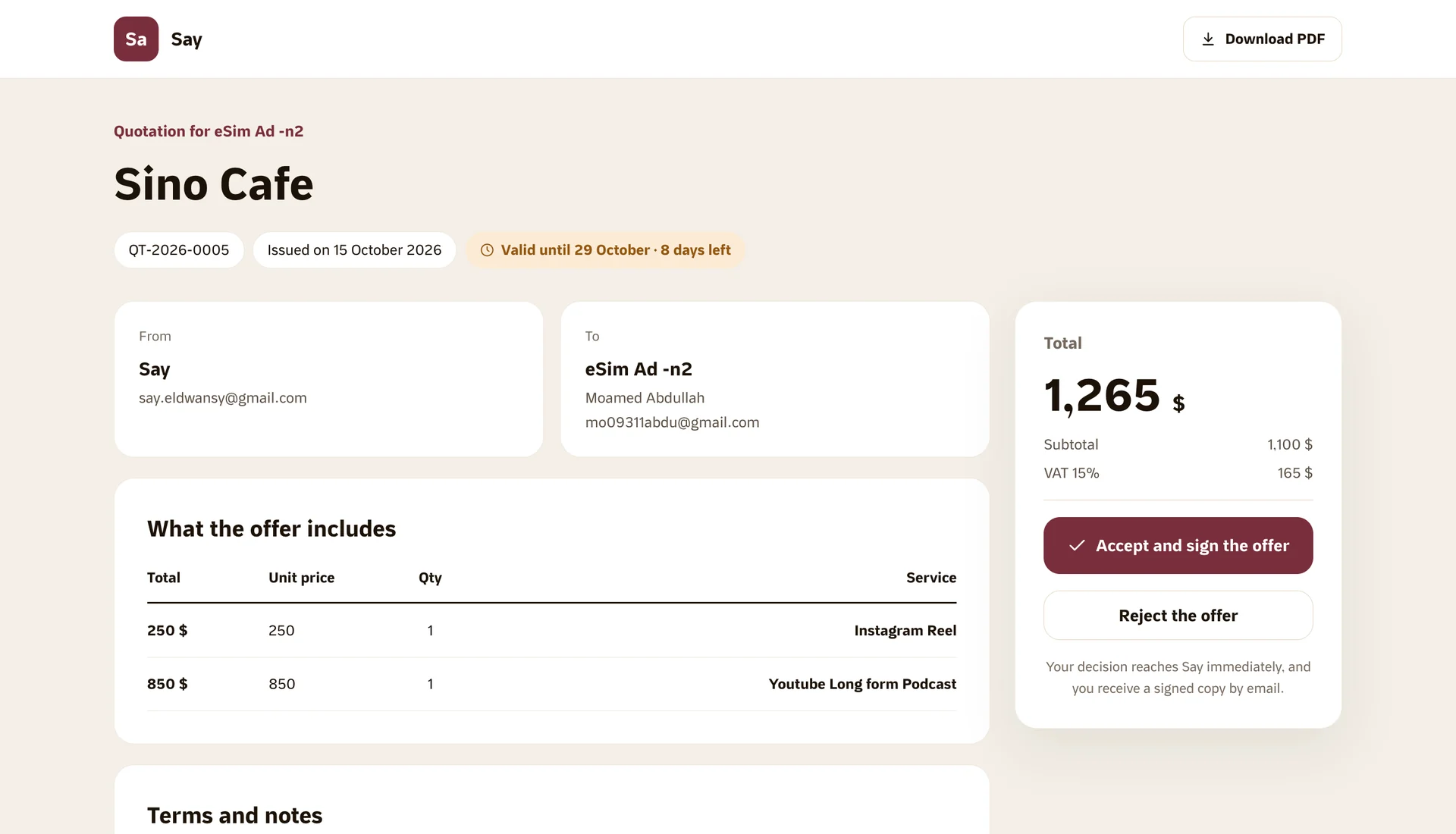
Prepare the quote, send it, and follow it until the client says yes.
Ask Claude or ChatGPT, and the result lands in your account
Talk to it the way you would talk to a colleague, and it saves the idea, writes the script or prepares the post right inside Bardiyah.
Ideas from real videos that worked in your niche
Every week, suggestions drawn from YouTube videos that did better than expected in your niche and style, and each one turns into a script in one click.
Publishing and performance
Publish once. The numbers come back to the same video.
Bardiyah sends your post to your accounts on time, then gathers the views, likes and comments from every platform and puts them on the video you wrote the script for. So you know what worked, and why.
Content calendar
Every kind of post gets its own fields.
Pick the kind of post, and Bardiyah puts every piece of writing where it belongs: the title, the description, the caption, the hashtags and the text of each slide. Then you choose the platforms and the time, and Bardiyah takes it from there.
- Auto publishing on Facebook, Instagram and Threads at the time you set.
- A reminder before it is due for YouTube and TikTok, with the post details ready to copy in one click.
- Media from your device or Google Drive, and up to 20 slides in a carousel.
- Stats for every post in an interactive chart, per platform or all together.
For every size
Bardiyah grows with your channel.
You start on your own with an idea and a project, then a team arrives, then clients and brands. The same workspace makes room for each stage, without moving anything from one place to another.
A creator working solo
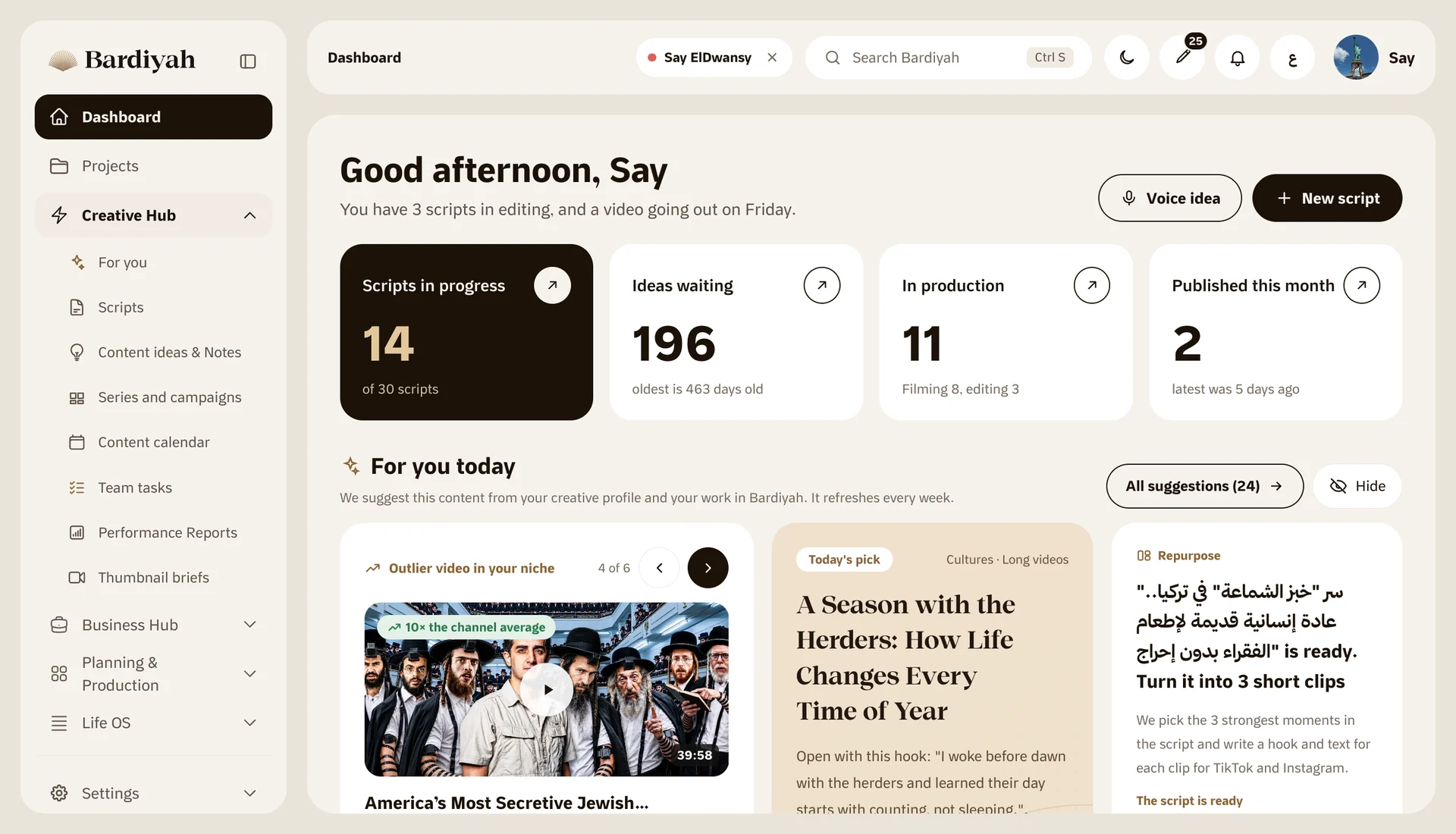
All your videos in one place, from the idea to the post. Record by voice, write with AI, film with the teleprompter, schedule from the calendar, then watch the numbers land on the same video.
A channel a team works on
Invite the writer, the editor and the designer, and decide what each of them sees. Hand out tasks inside the project on a clear board, link every task to its script, and follow every change in the activity log.
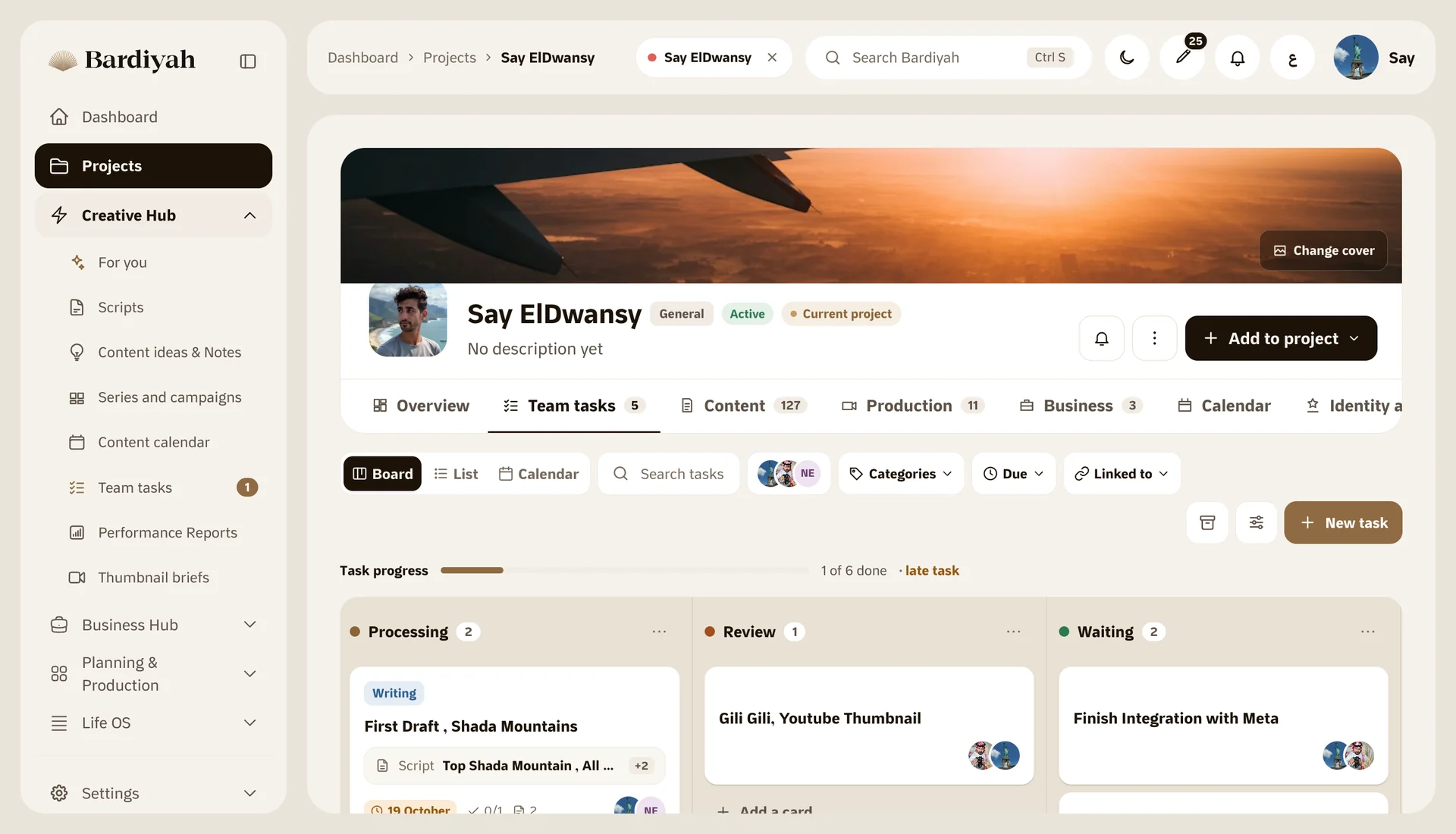
An agency, or a creator working with brands
Connect each client's accounts to their project, so every project has its own calendar and stats. Prepare quotes, follow partnerships and campaigns, and send the client a clear quote page.
Wherever you work
On the web, on your phone, and inside your AI assistant.
The same account and the same data everywhere. Start the idea in the car, finish it at your desk, and ask your assistant to get the rest ready.
On the web
The full workspace: writing, planning, the calendar, stats, team tasks and settings, and connecting your accounts to each project.
Mobile app
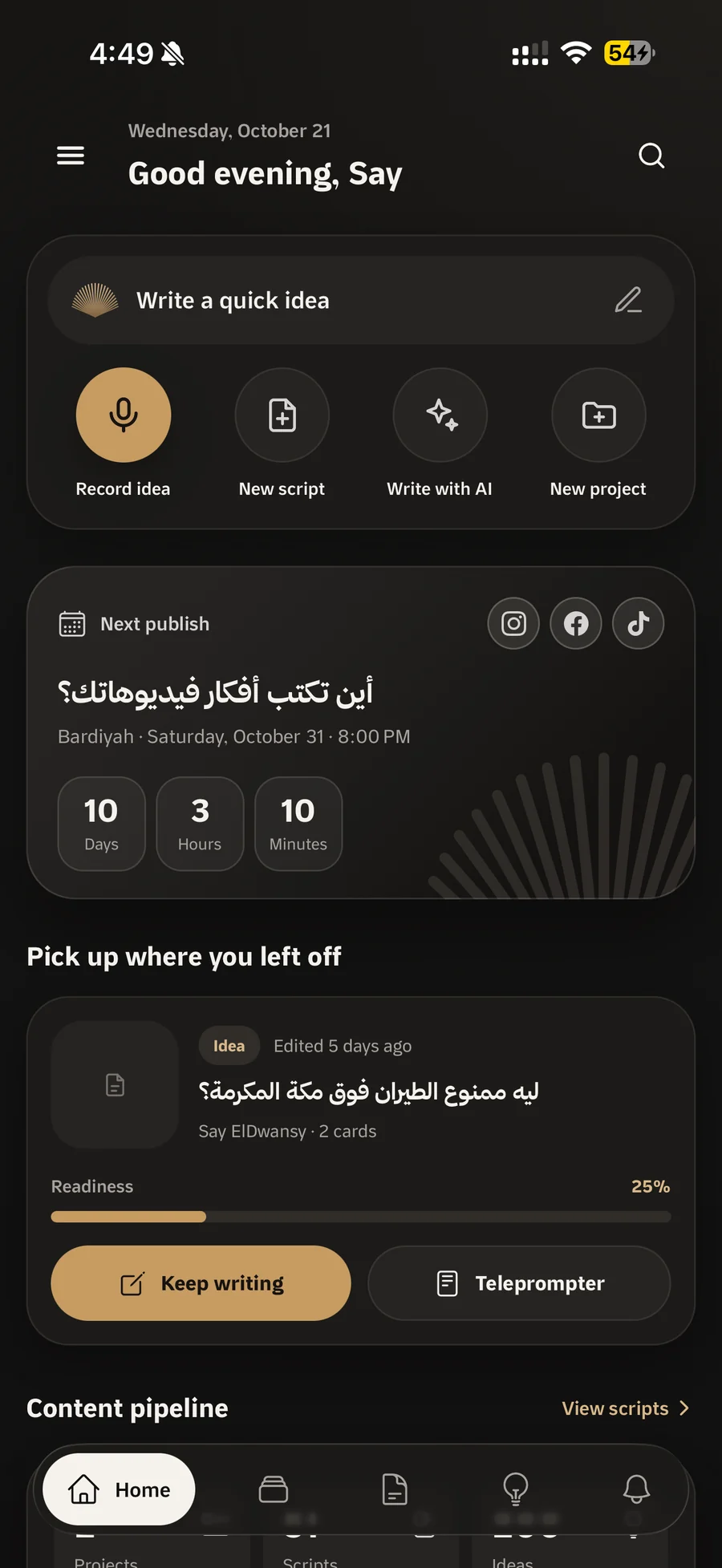
Record an idea by voice, review the script, film with the teleprompter, and keep up with your calendar and its stats. On iPhone and iPad.
MCP server
Connect Claude or ChatGPT to your account once, then ask it to save the idea, write the script or add the post to the calendar. It adds and edits with your permission, and never deletes anything.
About the MCP serverIdeas come when you are away from your desk. Bardiyah comes with you.
Record the idea on the way and find it written out when you open your laptop. Run the teleprompter in portrait or landscape on the device you film with, and follow your posts and their numbers from the calendar.
What's new
The latest we have added to Bardiyah.
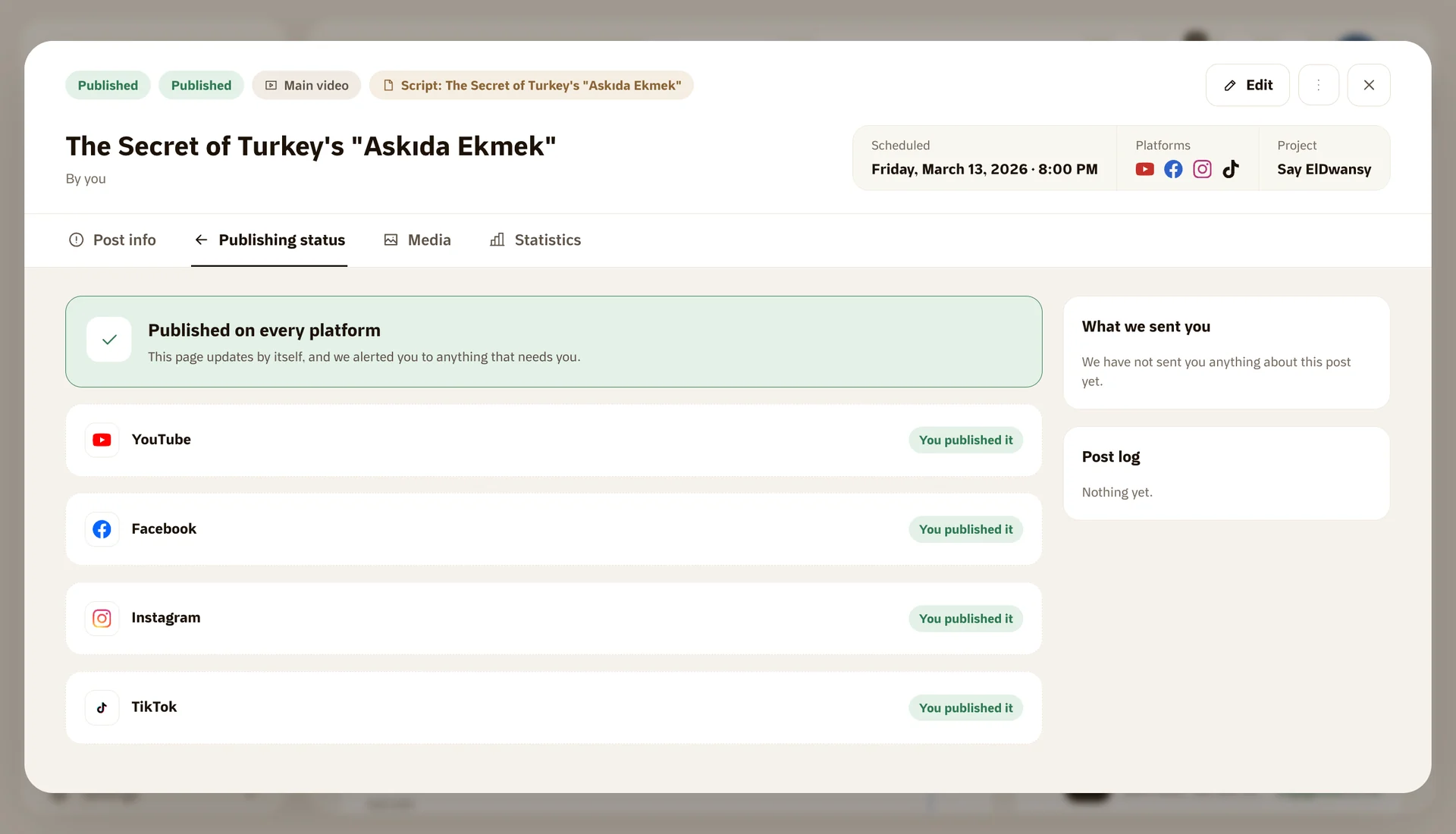
Auto publishing on Facebook, Instagram and Threads
Prepare the post and pick the time, and Bardiyah publishes it to your accounts on schedule, checking them an hour before.
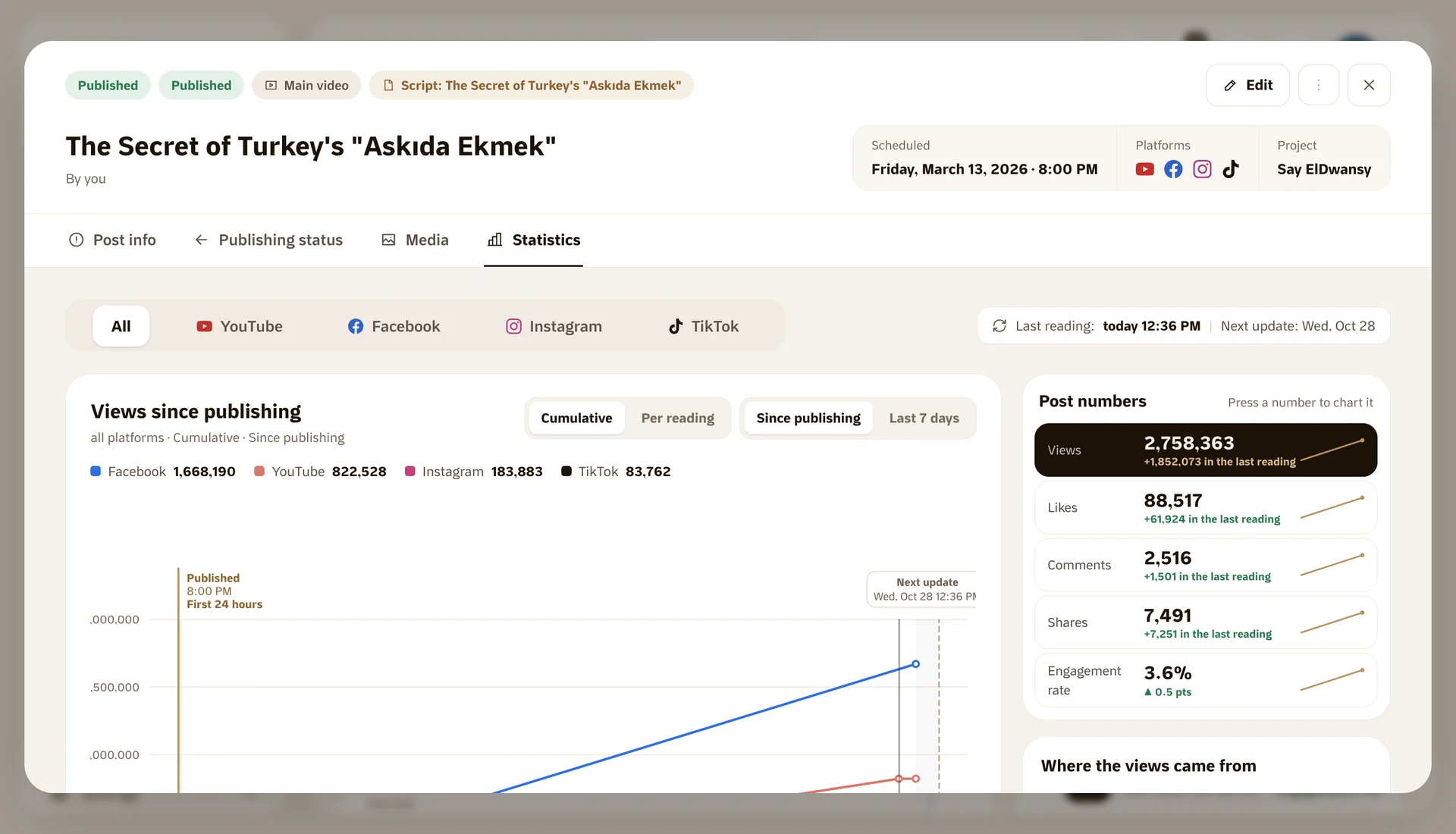
Stats for every post in an interactive chart
Views, likes and comments per platform or all together. Hover over the chart to see each day's number.
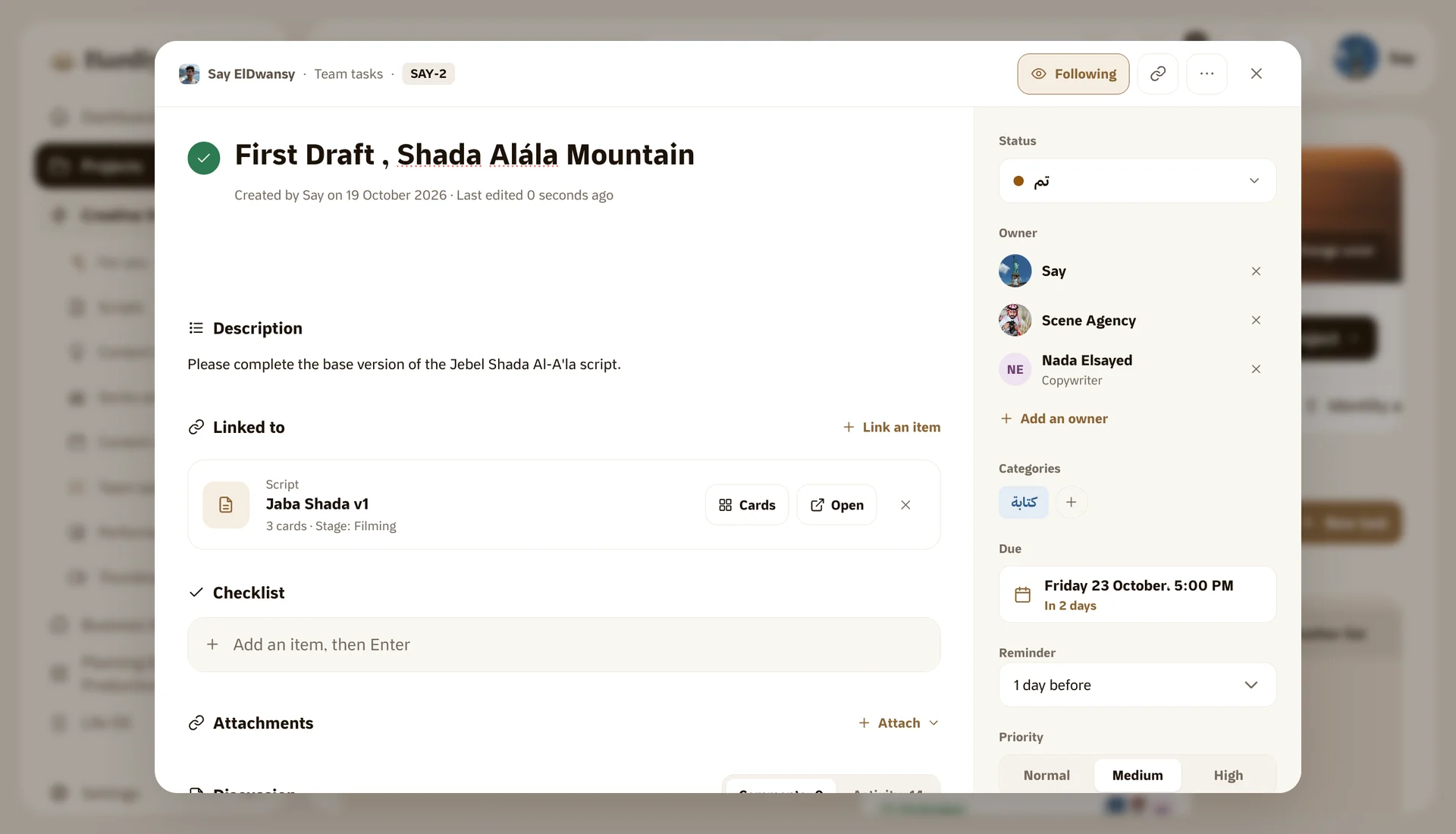
Team tasks inside every project
Lists, tasks and labels in your own colours, with every task linked to the script or idea it belongs to.
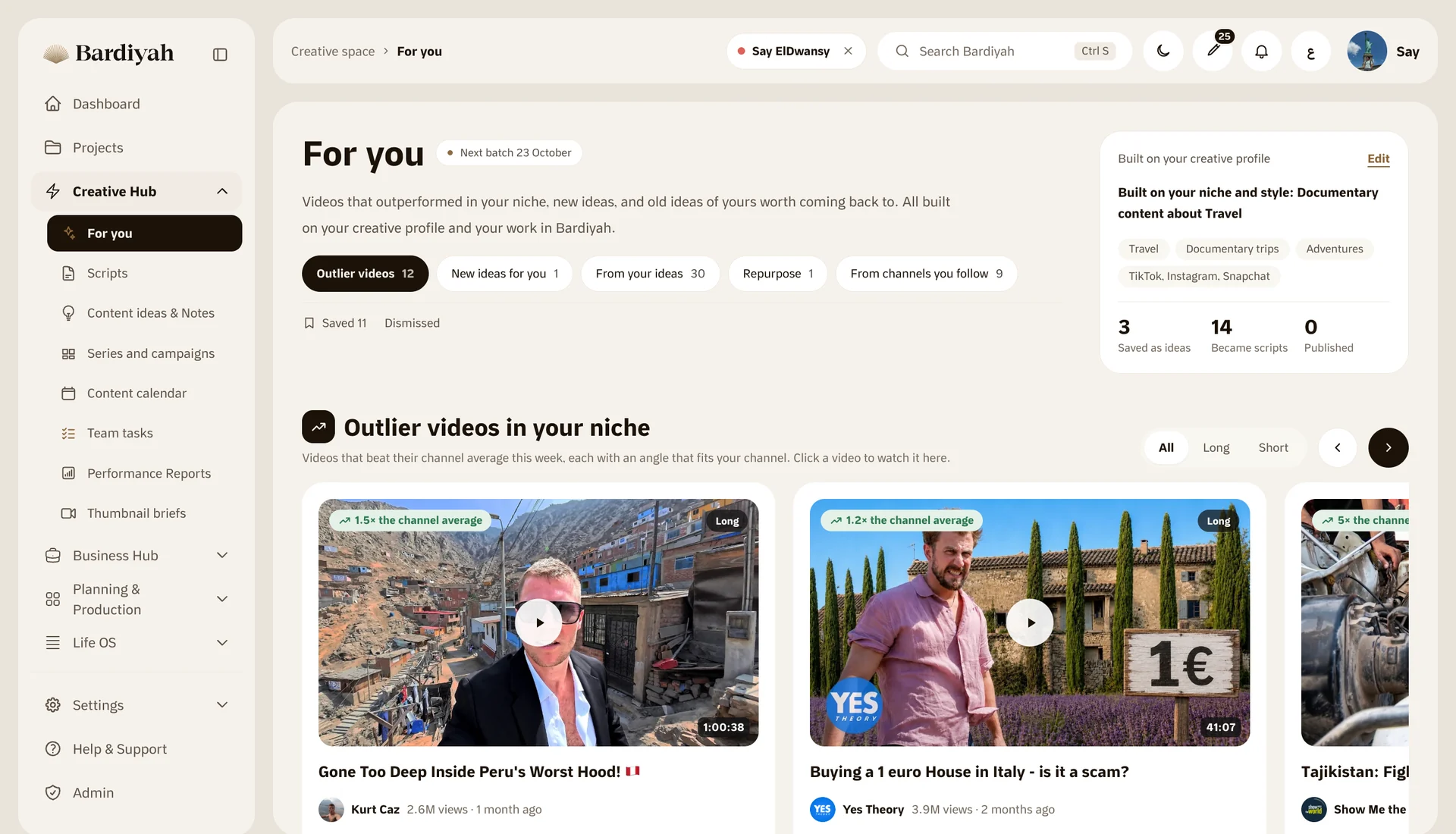
Suggested for you: ideas from videos that worked
Weekly suggestions from YouTube videos in your niche and style. Watch them inside Bardiyah and turn them into a script.
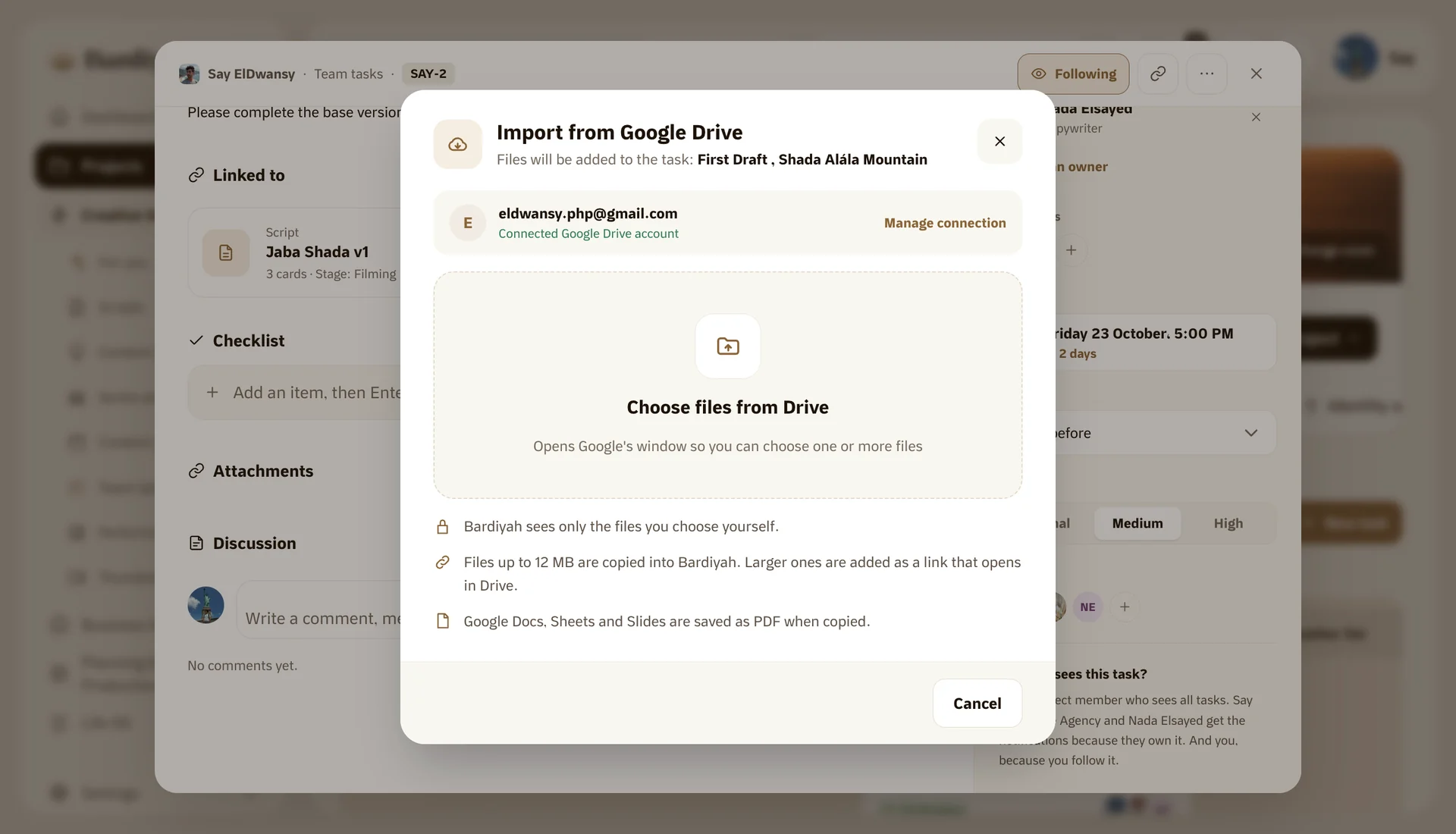
Import your files from Google Drive
Pick files from your Drive and add them to a script, an idea or a post without downloading anything.
Comments and replies in one place
Every comment on your Instagram, Facebook and Threads posts on one page, and you reply from inside Bardiyah.

Should you pay to promote your videos? When advertising works and when it wastes your money
He paid to promote a video with weak numbers. The views arrived and most people left at second twenty. What money buys and what it does not, three cas...
Questions
What people ask before they start
Does Bardiyah publish to my accounts for me?
Yes, on Facebook, Instagram and Threads: you prepare the post and set the time, and Bardiyah publishes it on schedule. For YouTube and TikTok it reminds you when it is time, with the post details ready to copy, and once it is live the numbers come back to the same video.
Do I need to be a professional to use Bardiyah?
No. Bardiyah is built for people who make one video a month and for people who post every day. You start with a project and an idea, and the rest comes one step at a time.
Can a team work with me?
Yes. Invite whoever you like to your project, decide what each member sees, and hand out tasks inside the project. Every task is linked to the script or idea it belongs to.
Does it work on mobile?
Yes. The mobile app runs on iPhone and iPad with the same account and the same data, and an Android app is on its way.
What does "connect your AI assistant" mean?
If you use Claude or ChatGPT, you connect it to your Bardiyah account once, then ask it directly to save an idea, write a script or add a post to your calendar.
Is my data safe?
Your content is yours, and nobody sees it except the people you invite. You can export your data or delete your account at any time.
Start today
Your next piece of content starts with an idea. Give it a home.
Create your free account in a minute, no card needed, and record your first idea by voice. We will take the rest with you, one step at a time.
A free plan that is enough to get going, and paid plans that open up AI, the teleprompter and teams when your channel grows.
Plans and pricing Start step by stepThe help centre explains everything in Bardiyah, from your first idea to connecting your accounts and publishing your first post.
Help centre