
How many times you reached a location and realized you forgot something?

The spare battery stayed at home, and the shot you wanted only came back to you in the edit.

In Bardiyah

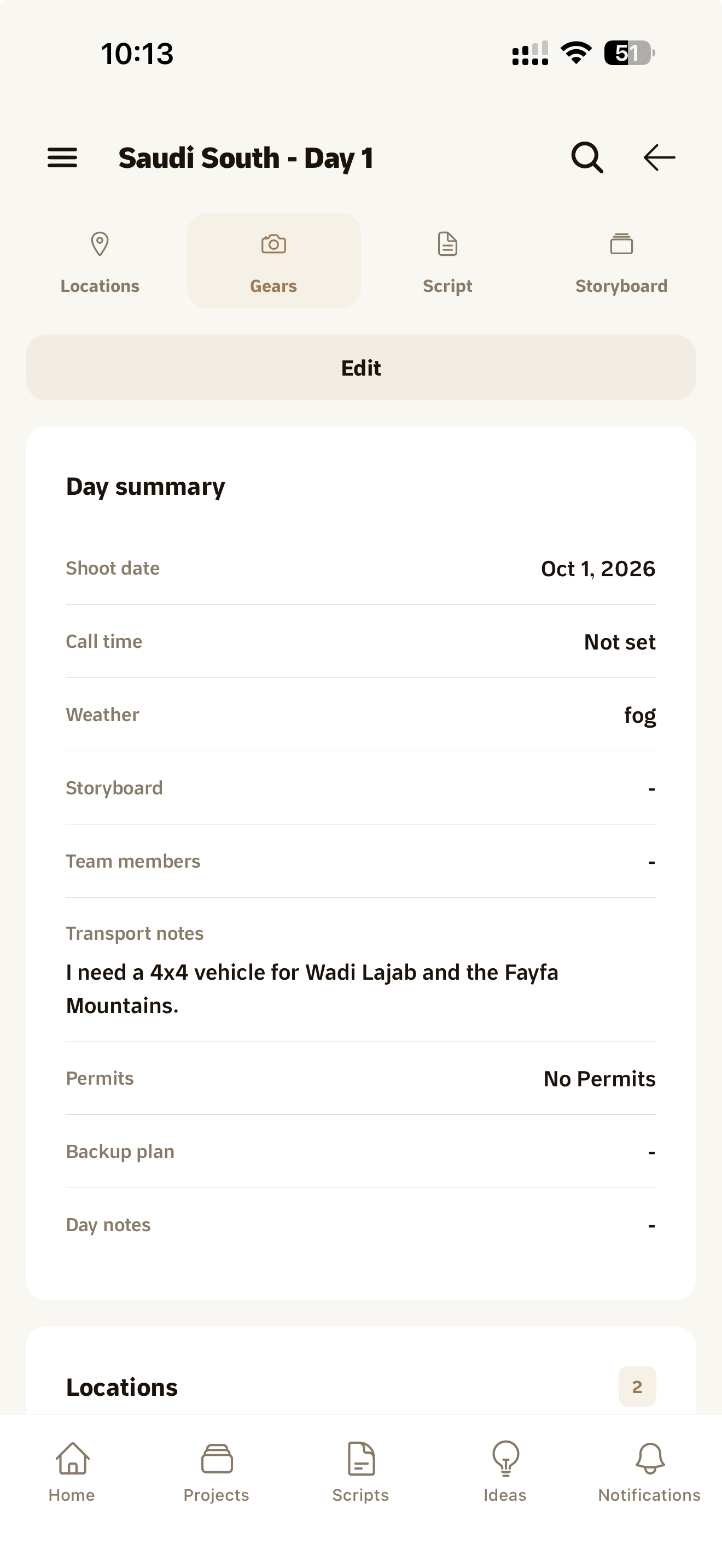
The shots, the location and the gear come together on one shoot day page you open before you head out.

A shoot day page with shots, location and gear

Shoot day starts before you leave the house

There are a lot of details, and each one lives somewhere else. The shots are in your head, the location is in Google Maps, the gear is on a list you wrote once and never updated, and who's coming is in a group chat.

Then you arrive and realize you forgot the second mic, and a day you planned for two hours ends up taking six.
Plan the day before it starts

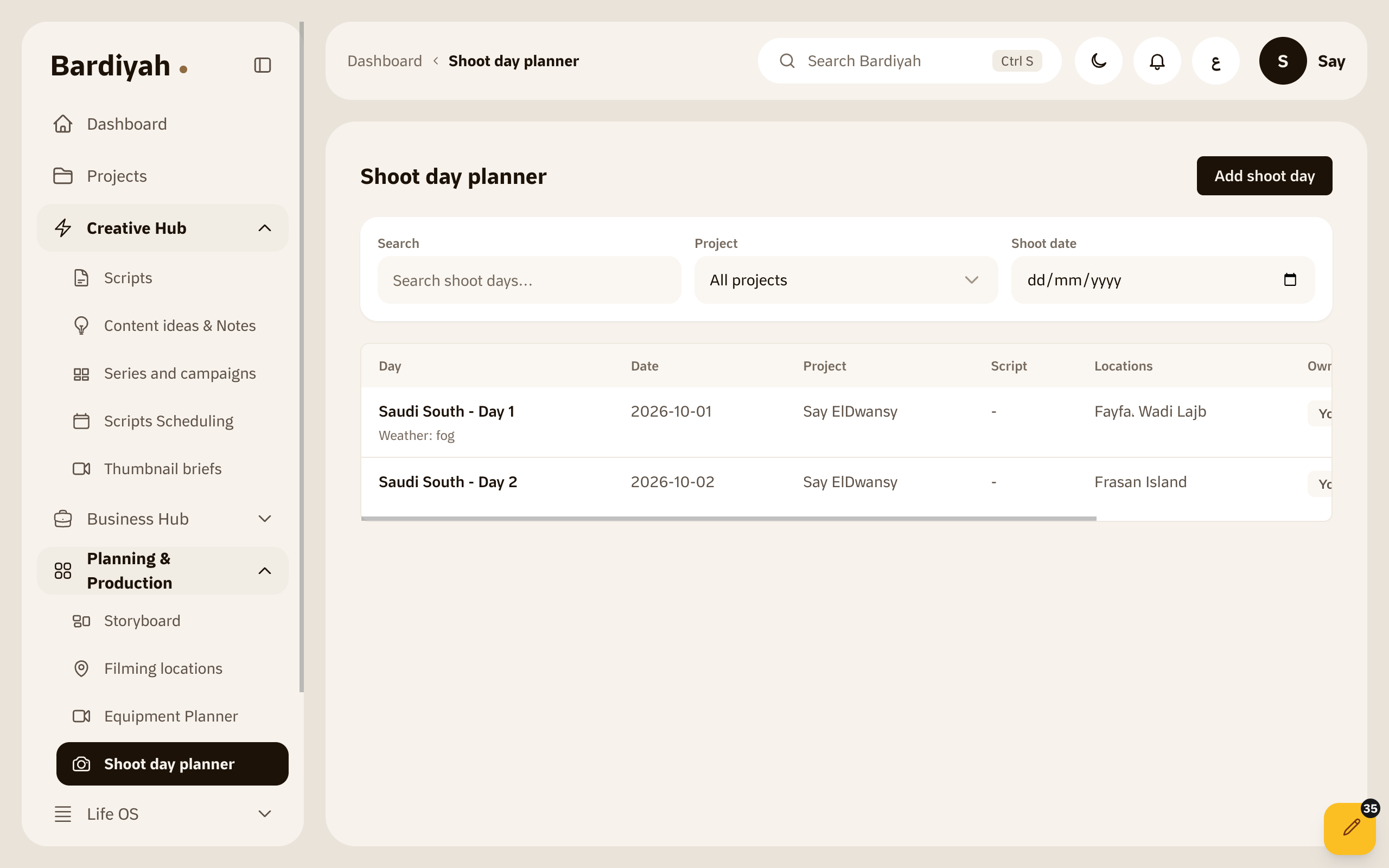
You save everything a shoot day needs once, then pull it together when you need it.

  1. Sketch the shots

    In the storyboard you lay out the video shot by shot, with a picture or a description for each, so you know what you're filming before you pick up the camera.

  2. Save locations and gear

    Add a location to the map once with your notes about it, and list your gear along with who's bringing each piece.

  3. Pull it into a shoot day

    Choose the shots, the location and the gear, and you get one page for the day. You can save it as a PDF and take it with you.

A storyboard laid out shot by shot

Why a list in your notes isn't enough

A list in your notes

It remembers what you wrote, but it doesn't connect things. It doesn't know that this shot needs that place, or that the place looks best just before sunset.

In Bardiyah

The shot, the location and the gear are parts of the same day. Change one and you see it in context with the rest, then take the whole day with you in one file.

Shoot day PDF export is available on the Creator plan and above. Compare all plans

What it includes

Storyboard

Lay the video out shot by shot, with a picture or a description for each.

Filming locations

Save a place on the map with your notes about it.

Gear

List what you're taking and who's bringing each piece.

Shoot days

Bring the shots, the location and the gear together into one day.

Shoot day page

Open the full detail of the day before you head out.

PDF export

Take the shoot day with you as a file you can print.

Questions before you start

Do I need storyboard experience?

No. Start with a short description for each shot and add pictures and detail whenever you want.

Can I open a shoot day on my phone?

Yes, shoot days and their locations are in the Bardiyah iPhone app.

I work with a team. Can everyone see the shoot day?

If the day belongs to a shared project, members see it according to the access you gave them. Saved locations stay private to you for now.

Head out knowing what's waiting for you

Plan your next shoot day in Bardiyah.