
How many scripts have you started in a file and never finished?

You start in a document, carry on in your notes, and send part of it to a friend on WhatsApp for feedback. By shoot day you're not sure which version is the latest.

In Bardiyah

The script stays in one place, from the first line to the teleprompter on shoot day.

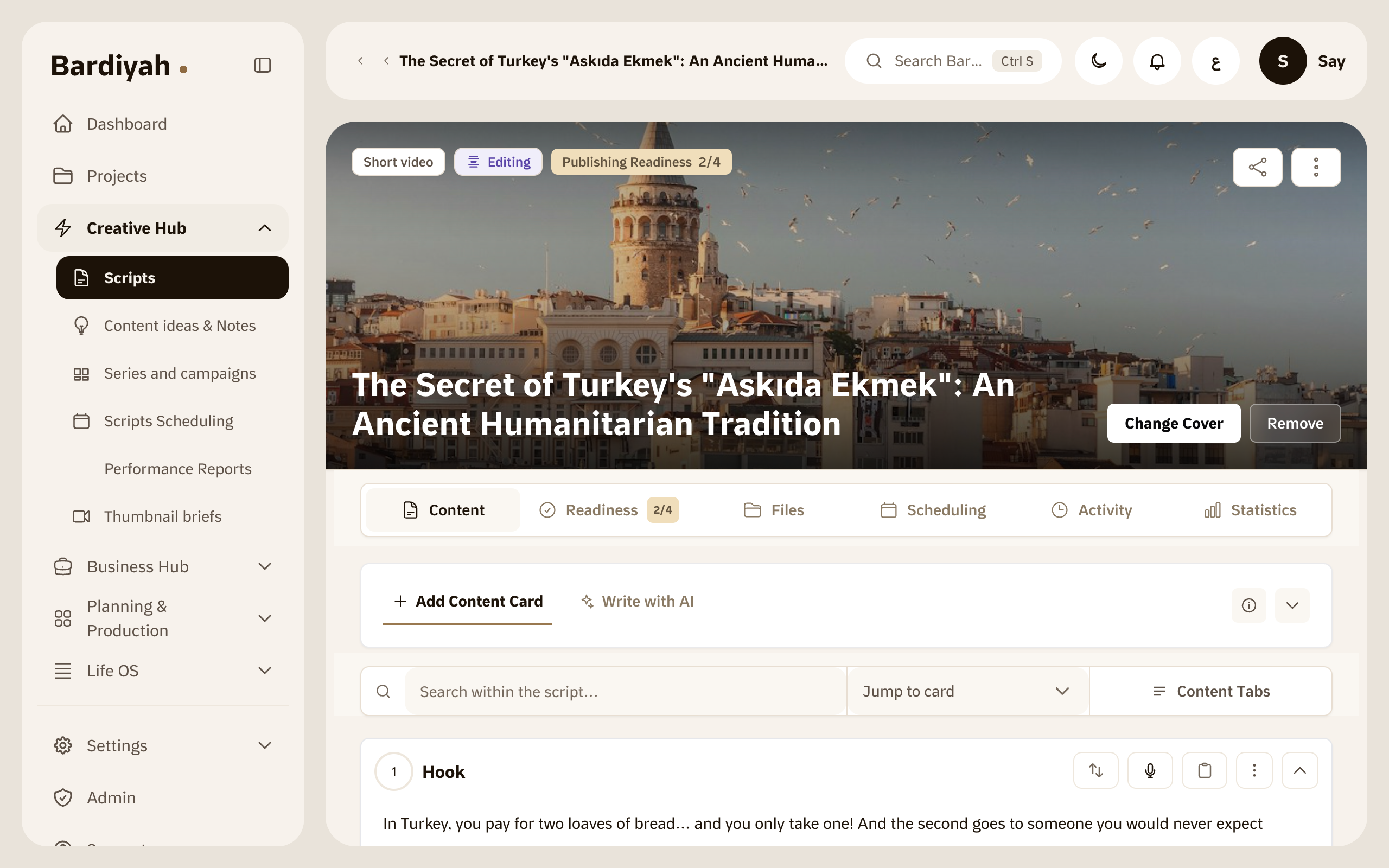
A script split into parts in the Bardiyah editor

Scripts get lost between versions

Regular documents weren't made for writing video. A long paragraph doesn't tell you where a shot starts or ends, comments get mixed in with the text, and Arabic flips direction every time you add an English word.

Then comes the review. You send the file and it comes back with a new name, then another one. In the end you film from a version that wasn't the last, and you only find out in the edit.
One place for the script

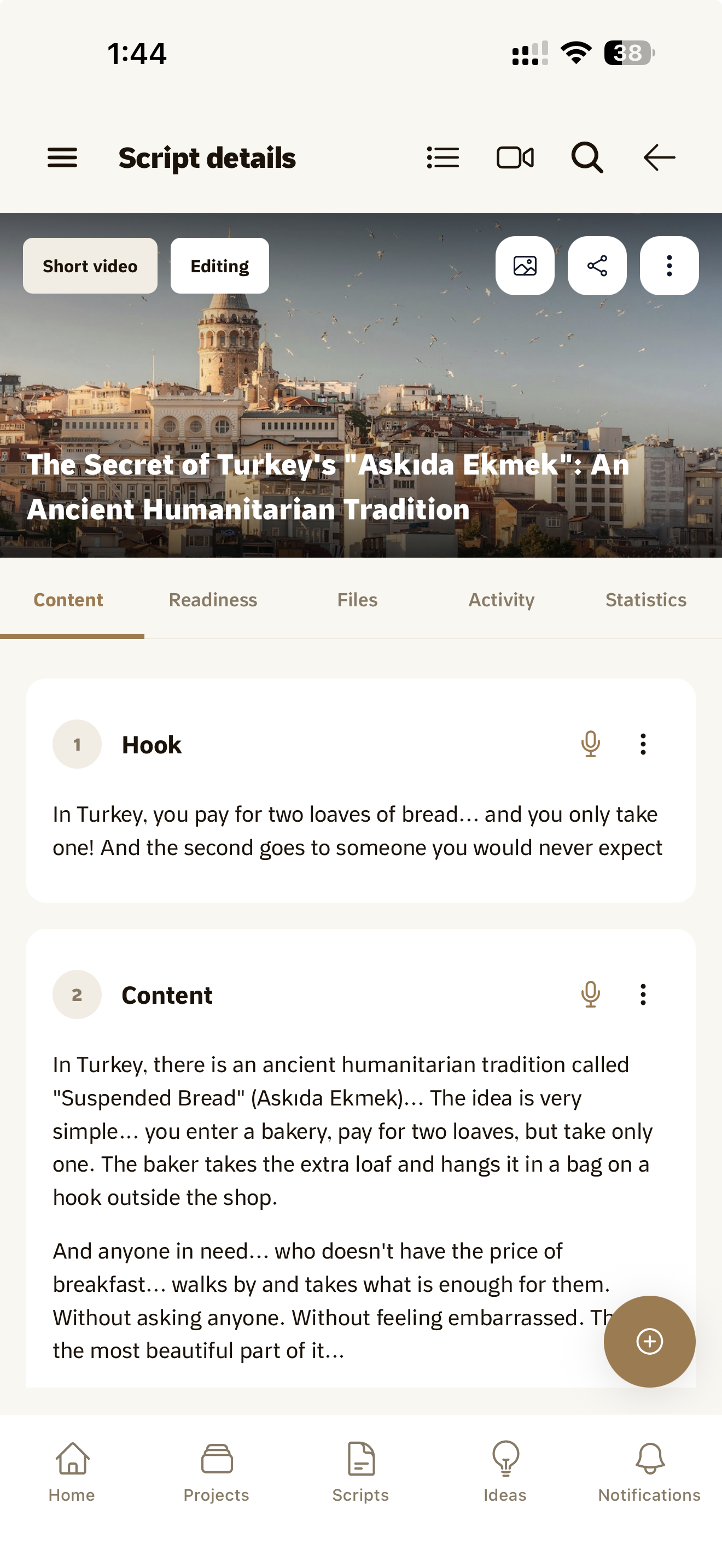
In Bardiyah you write the way you think about a video, one part at a time.

  1. Start from an idea or a blank page

    If you have a saved idea, turn it into a script and start from there. If not, give it a title and write.

  2. Split it into parts

    Each part of the video gets its own card, like the opening or a scene in the middle of the story. Reorder and edit them without losing your place.

  3. Share it before you shoot

    Send a link to anyone whose opinion you want, and they always read the current version. When you're done, export it as PDF or Word, or open it straight in the teleprompter.

Sharing a script with a read only link

Why a document and a side chat aren't enough

The usual way

You write in a document and ask ChatGPT for help in another window. You copy, you paste, you soon lose track of which lines are yours, and the writing ends up sounding less like you.

In Bardiyah

The writing assistant sits inside the script itself on the Pro plan. It suggests, it rewrites the paragraph you pick, and you decide what stays. If you'd rather use your own assistant, you can connect it to Bardiyah on any plan.

AI tools is available on the Pro plan and above. Compare all plans

What it includes

Content cards

Split the script into parts and reorder them as you like.

Platforms and tags

Set where each script goes out and with which tags.

Readiness checklist

Track what's done on a script and what's left before the shoot.

Script status

See what stage each script is at, from idea to published.

Export

Take the script as a PDF or a Word file whenever you want.

Share link

Send the script as read only, with no account needed on the other side.

Questions before you start

Can I write on my phone?

Yes. You can read scripts and add parts to them in the iPhone app, though long writing sessions are more comfortable in the browser.

Can people I share a link with edit the script?

No, share links are read only. For people who actually work with you, add them to a project and choose what they can do.

Does the AI write the script for me?

It can write a first draft if you ask, but it's there to help with what you write. Everything it suggests shows up for you first, and it goes into the script only when you choose.

How do I take a script out of Bardiyah?

Export it as PDF or Word whenever you want.

Your next script, in one place

Start it here and take it all the way to the shoot.