
How many times your team asked for a file you couldn't find?

The script is on your laptop, the ideas are on your phone, the shoot plan is in a chat, and your editor is waiting.

In Bardiyah

A project holds everything for one piece of work, and each member sees only what you gave them.

A project with its ideas, scripts and shoot days

One piece of work, ten different places

At first you worked alone and everything lived in your head. Then the channel grew. A camera operator joined, then an editor, then a client who wanted to see the script before the shoot.

Now you send files to each person yourself, explain what changed, and worry that someone will see something that isn't theirs. Organizing the team starts eating into the time you set aside for making content.
One project, with your team in it

A project in Bardiyah is a folder for one piece of work, like a series, a channel or a campaign for a client.

  1. Start with a name

    Create the project with just a name. You don't need to organize anything yet.

  2. Gather the work in it

    Every idea, script or shoot day you add to the project stays under its name, so opening it shows you all the work.

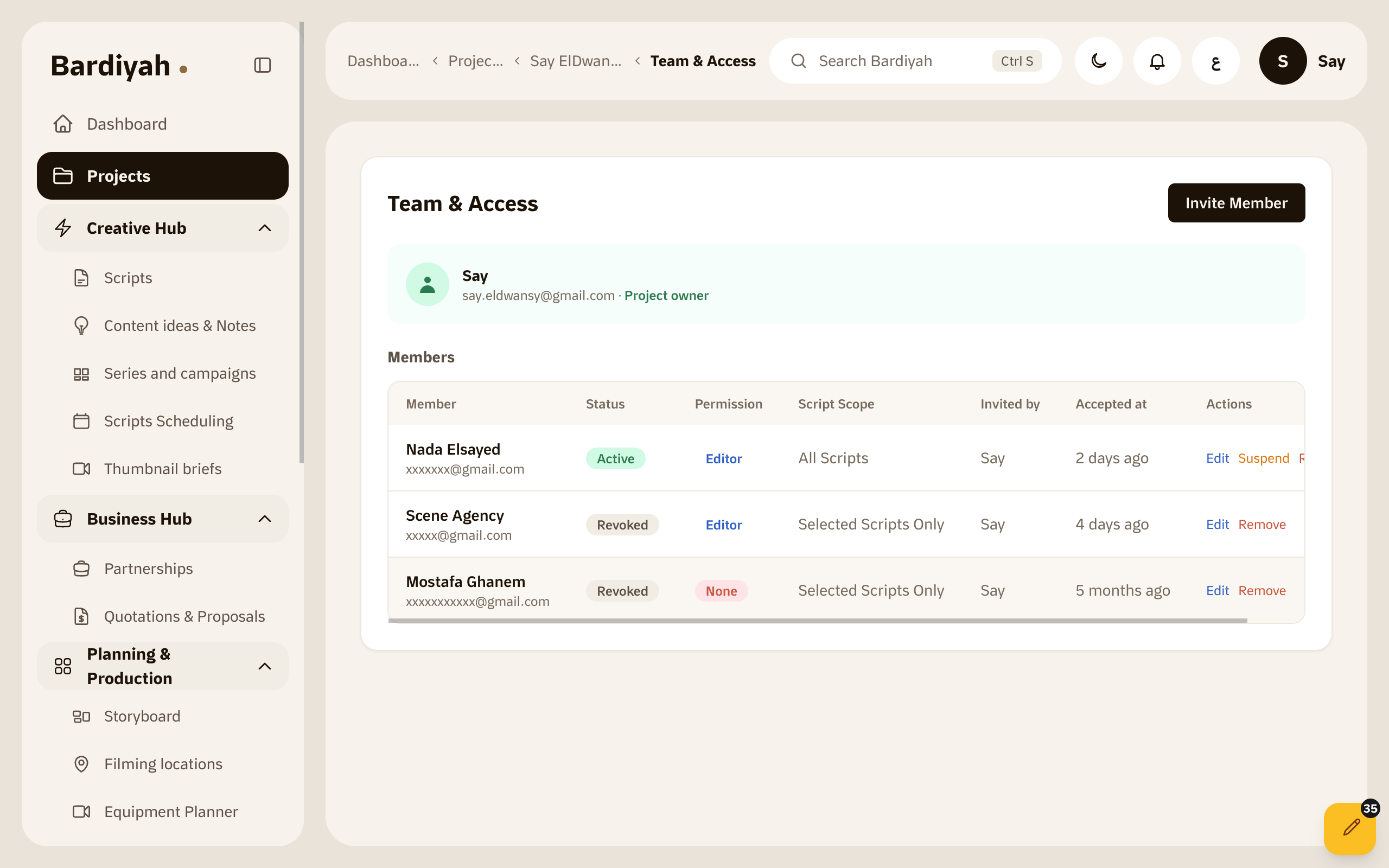
  3. Bring in the people you work with

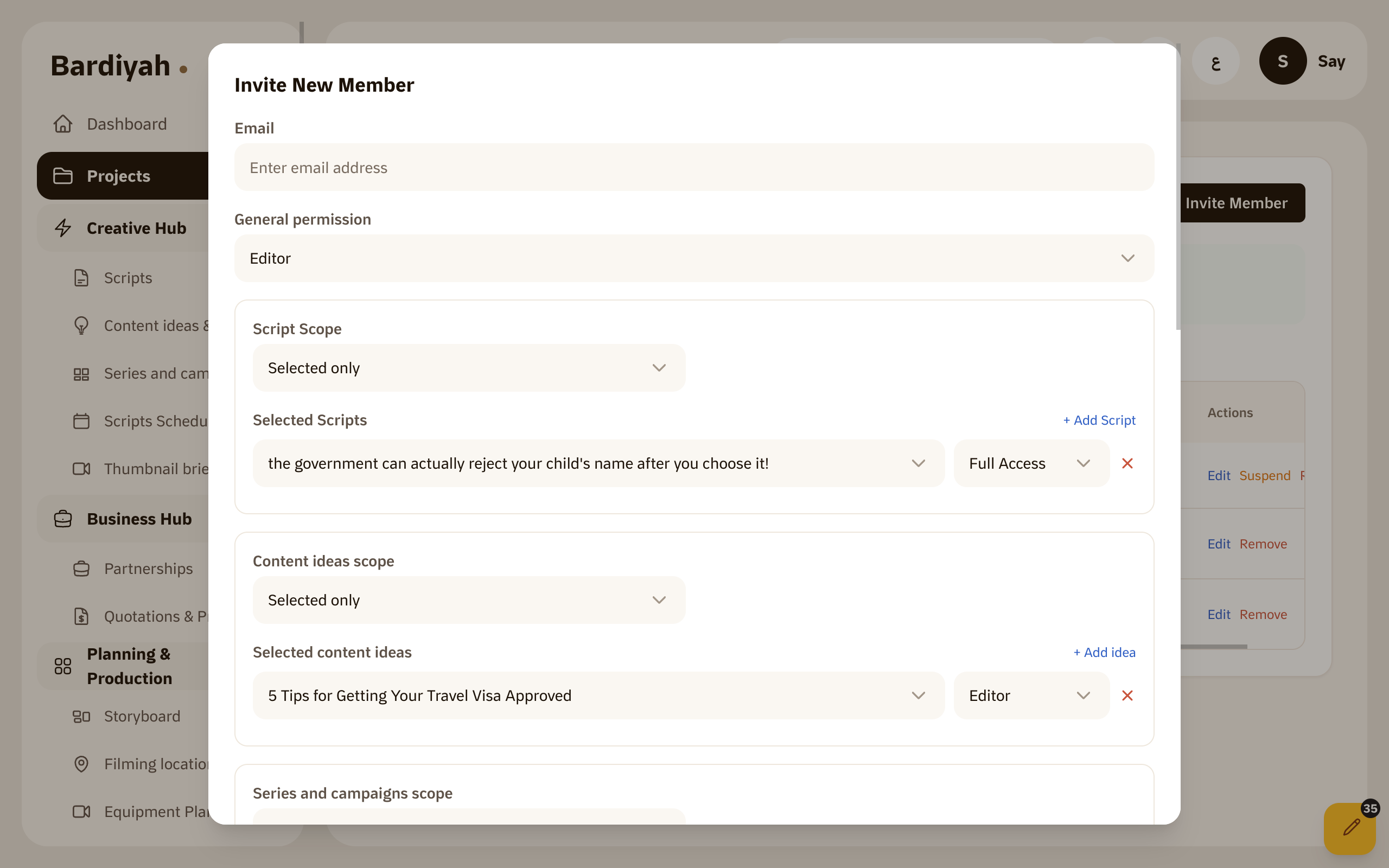
    Invite your team and choose what each person can do, whether that's full access, editing or view only. If you want, limit someone to specific scripts.

Choosing a team member's access to a project

Why a shared folder isn't enough

A shared folder

It gives everyone everything or nothing. An editor who needs one script ends up looking at your unfinished ideas and other clients' plans.

In Bardiyah

You decide what each person sees and change it whenever you want. When their part is done, remove them from the project and their access ends.

Team and collaboration is available on the Pro plan and above. Compare all plans

What it includes

All the work in one place

Ideas, scripts and shoot days under the project's name.

Invite members

Add the people you work with to the project.

Access levels

Full access, editing, or view only.

Specific scripts

Limit a member to the scripts they need.

Series and campaigns

Group a series or a client campaign under its project.

Remove a member

End someone's access when their part is done.

Questions before you start

Can a member see my other projects?

No. A member sees only the project you invited them to, with the access you chose.

Can I change someone's access after inviting them?

Yes, at any time, in the browser or in the iPhone app.

Do I need a project if I work alone?

Not necessarily, but it helps once you have more than one series or client, so their work doesn't get mixed together.

Gather your next piece of work in one place

Create a project and invite the first person you work with.