
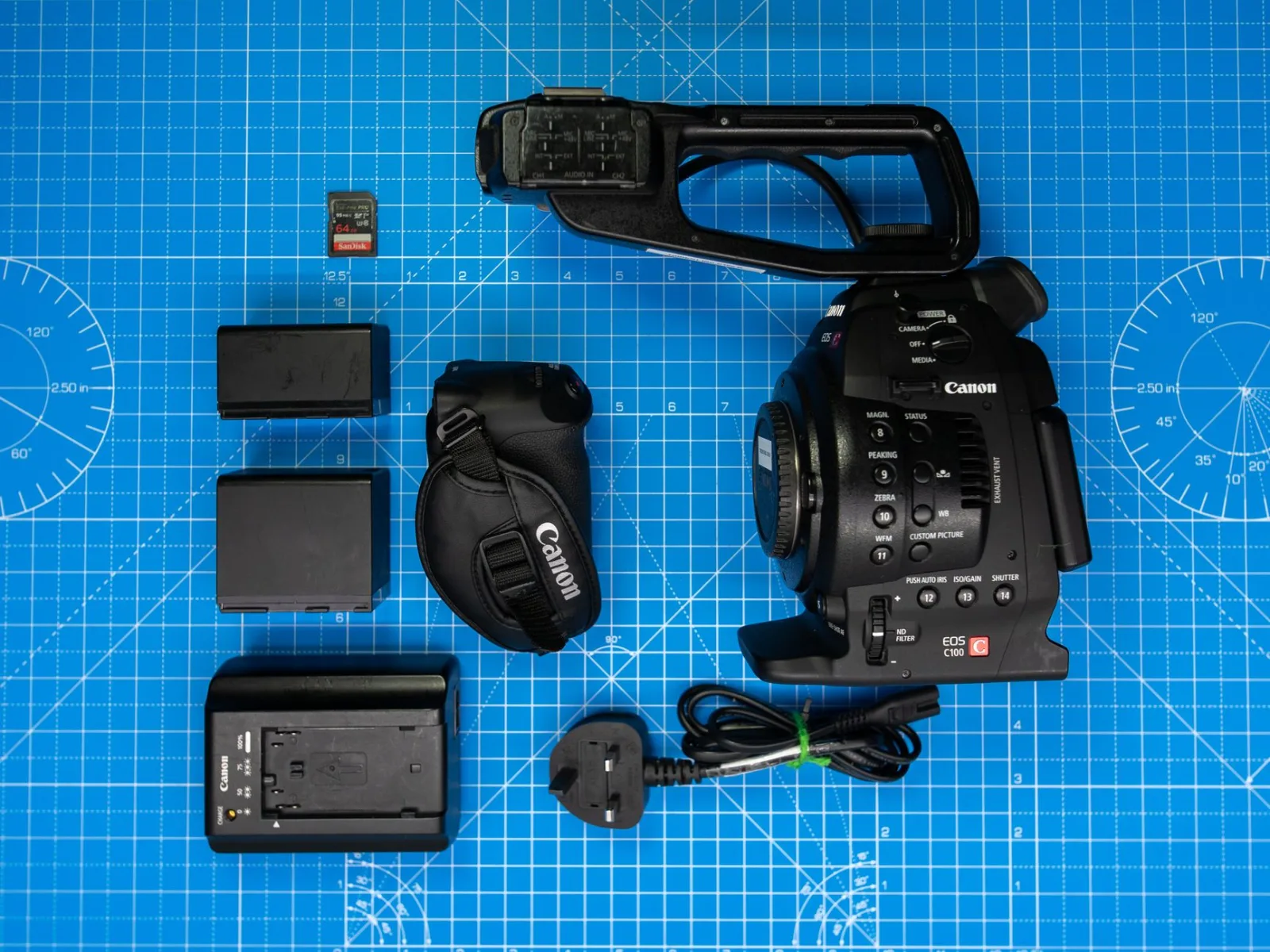
The man sat down in front of him, and the interview he had waited two weeks for began. Three minutes in, the camera switched itself off. The second battery was at the hotel forty minutes away, and the man only had an hour. So he filmed the rest on his phone, and the interview came out with a picture and a sound that do not match the rest of the film.
On another trip, with a newer camera and plenty of batteries, the memory card stopped mid-recording and threw an error. The material before it came out incomplete, and that day's scene never came back.
The gear that saves your day is not the camera or the lens. It is the two cheapest things in the bag.
The rule: these are not accessories
The battery and the card are part of the camera rather than additions to it. Any purchase budget has to include them alongside it, not afterwards if money is left. Whoever spends everything on a camera and is left with one battery and one card has bought half a camera. This is among the first things that should appear in How do you budget a video and decide what to buy?.
How many batteries you actually need
Do not trust the number on the box, which is measured in conditions unlike your work. Measure it once yourself: run the camera the way you actually film, with the screen on, stabilisation on and recording in bursts, and write down how long it lasted. That is your number, and you use it in every calculation afterwards.
Then buy by this rule: enough for your shooting day, plus one. When travelling, plus a second one, because a charger can fail and power can go out.
Four things drain the battery faster than you expect: the screen at full brightness, in-camera stabilisation, filming at a high frame rate, and switching the camera on and off repeatedly instead of leaving it on standby.
Original or third party
Third party batteries are far cheaper, and some are good while others lose their capacity within months. The practical middle road: two original batteries you rely on for the important scenes, and two third party ones from a known brand for the general material. Do not put an unknown battery in an expensive camera, because what you save is not worth what you might lose.
Mark your batteries with numbers or colours, because you need to know which one has weakened over time so you can retire it.
Cold and heat
A battery in the cold gives you a fraction of its runtime, and it is not damaged but dormant. Put it in an inside pocket close to your body and it comes back. In severe heat, a full battery inside a camera running for a long time brings on a heat shutdown sooner. Stop for a few minutes between long scenes, and never leave the bag in the sun.
Memory cards: which number matters
There are many numbers on a card, and only one concerns video: sustained write speed. The big speed printed on the front is usually read speed, and it means nothing while you are filming.
Look for the video rating printed on the card, and buy one whose guaranteed speed exceeds what your camera asks for at the highest setting you actually use. Film at a high setting on a slow card and the camera will stop mid-scene, and you will not know why.
| The number on the card | What it means | Does it matter for video |
|---|---|---|
| Capacity | How many hours it holds | Yes, but not first |
| The big read speed | How fast it copies to a computer | Useful, not decisive |
| Guaranteed write speed | Whether the recording holds | This is the decisive number |
| Brand and seller | The chance of a counterfeit | Yes, buy from a known distributor |
One large card or several
Several mid-size cards beat one large card, and the reason is not money but spreading risk. A single card holding your whole day means one fault takes the whole day. Four cards mean the worst case is losing a quarter of it.
A simple field system prevents most disasters: empty in one pocket and full in another, and the full card turned over in the wallet so its back shows. And never wipe a card before you are sure its contents exist in two places, which is the logic of Backups: Before You Lose Everything.
Formatting and lifespan
Format the card in the camera rather than on a computer, and do it before every shoot rather than deleting files one by one. Incremental deleting is what leaves a card full of partial files and raises the chance of corruption.
Cards wear out. Write the purchase date on each one, retire it from primary use after two or three years of heavy work, and use it afterwards for jobs that do not matter. A card that has thrown an error once never goes back into a scene you cannot reshoot.
If a card fails
First and most important: do not record anything else on it and do not format it. Put it aside and finish the day on another card. Most logical corruption can be recovered with recovery software on a computer, and filming over it is what makes the loss permanent.
Then rename the recovered files clearly straight away, as in How to Organise Your Files and Never Lose a Shot, because recovered material usually arrives with names that mean nothing.
What you carry
- Batteries to cover your day plus one spare, all charged and labelled.
- A charger, and when travelling a second charger or an extra port.
- At least two cards beyond the day's need.
- A small card wallet with a front-and-back system.
- A card reader, since reading straight from the camera is slower and drains the battery.
- A power bank for the phone and the mic, because the phone is a working tool on a shoot day.
When travelling especially, all of this belongs in the hour you set aside each evening for copying and reviewing, the item described in The shooting trip schedule.
And if you film on a phone
The same logic with different names: free space instead of a card, a power bank instead of a spare battery, flight mode to save charge, and clearing space before you go out rather than after. The limits of phone filming, and what is enough of it, are in Can You Create Content With Just a Phone?
The two cheapest items in your bag are the only two whose absence stops all the work. Buy them by calculation, label them, work to a fixed system, and you will never lose a day to something that costs less than a lens.